Why Black and White Photos Look More Professional
Black and white images remove color distractions and focus more on emotion, contrast, and composition. This makes them ideal for professional use.
Read More →Turn any colorful photo into a clean black and white image directly in your browser. Upload a picture from your device, click the convert button, preview the result, and save the final grayscale image — no login or software required.

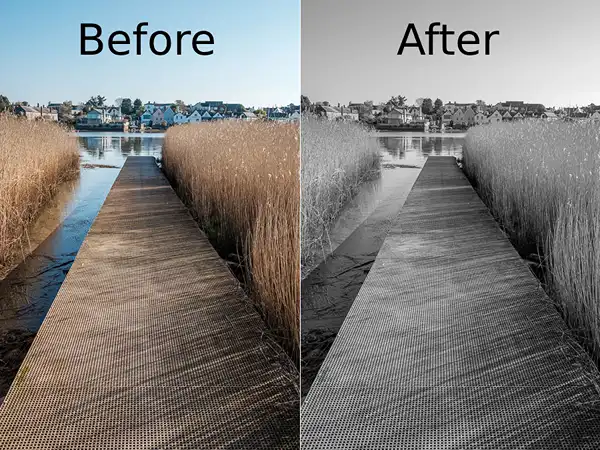

It’s simple: click on “Choose a file” to upload your image, then press the “Click to Convert” button. Our tool will apply a black and white effect and show you a preview. When you’re happy with the result, use the download button to save your image.
The easiest way is to use an online converter that works directly in your browser. On this website, you just upload your photo, let the tool process it, and then download a clean black and white version — no editing skills needed.
Yes. The interface is made for non-technical users. There are only a few steps: upload, convert, preview, and download. You don’t have to install any app or learn complex photo editing software.
You can process one image at a time. Just repeat the same steps — upload a new photo, convert it to black and white, and download it. This way you can convert as many images as you want.
Our tool keeps the original resolution of your image as much as possible. The colors are changed to grayscale, but the sharpness and dimensions of your photo are preserved so you can still use it for social media, documents, or printing.
Converting a color image to black and white is not just about removing colors — it is about enhancing the overall impact of your photo. Black and white images highlight contrast, textures, and details that are often hidden in colorful pictures. This makes them ideal for professional presentations, portfolios, and creative projects.
Many photographers and designers prefer grayscale images because they create a timeless and classic look. Whether you are editing personal photos or working on business content, using a black and white converter can improve visual clarity and focus.
For the best results, choose high-quality images with good lighting and contrast. Avoid blurry or low-resolution images as they may not produce clear black and white outputs. Our tool processes images directly in your browser, ensuring fast and secure conversion without uploading your data to any server.
Need smaller image sizes before conversion? Try our online image compressor to reduce JPG, PNG and WebP file sizes quickly.
Want to extract text from images? Use our image to text converter to copy text from screenshots and photos online.
This online black and white image converter supports JPG, PNG, WebP and other popular image formats. You can quickly turn colorful photos into grayscale images directly in your browser without installing any software.
Use this grayscale converter to create professional monochrome images for photography, portfolios, resumes, social media posts and creative projects.
This tool is designed to help you quickly turn colorful photos into classic black and white images. Whether you’re preparing pictures for a portfolio, a school project, social media, or a professional document, you can do it here in a few seconds. Just upload your image, convert it, preview the result, and download the final file — all inside your browser.
Try It Now!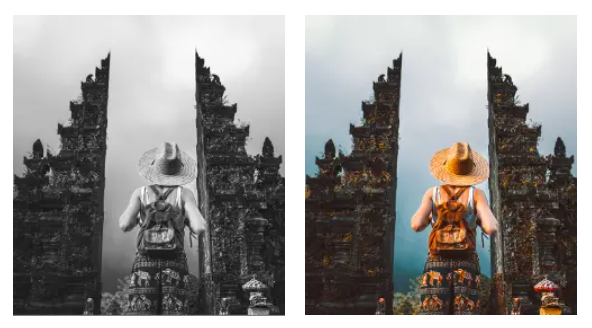
Learn more about black and white photography, image editing basics, and how to get the best results using online image tools.
Black and white images remove color distractions and focus more on emotion, contrast, and composition. This makes them ideal for professional use.
Read More →Online image converters allow you to upload, convert, preview, and download black and white images directly from your browser.
Read More →From official documents to social media posts, black and white images offer a clean and timeless look.
Read More →